Solutions
Media Asset Management
Digital Asset Management
Video Management
Image Management
Audio Management
Wordpress Media Offloading
Digital Rights Management
Features:
HLS Streaming
Video Processing
Image & Video Watermarking
Image & Video CDN
Analytics
GPU Video Conversion
Video On Demand
Free Video API
Pricing
Community
Blog
FAQ
Knowledge
Developers
API Documentation
URL-based Transformations
Download SDK's
Demo
Login
Register
Publitio Support Center
>
Presets
Articles in this section
How to apply Upload Preset during upload?
What are Upload Presets for account?
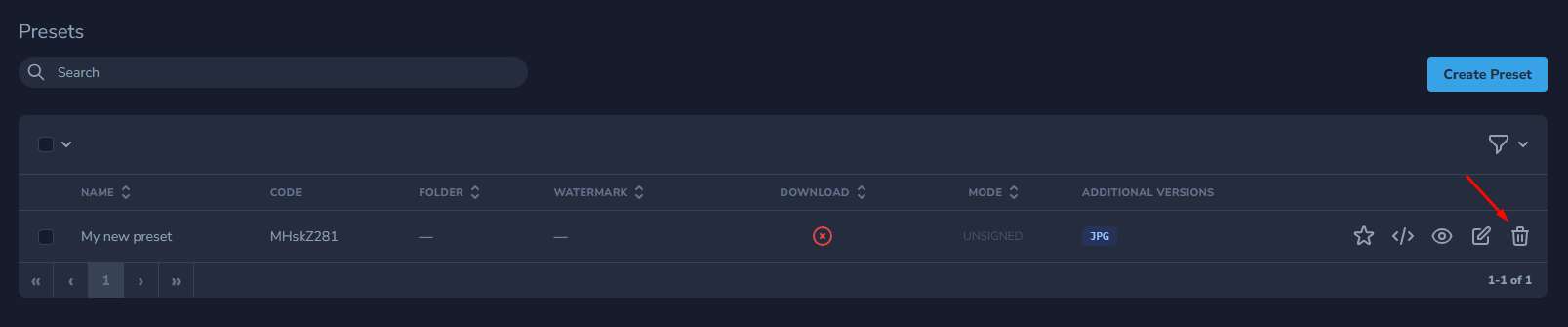
How to delete Upload Preset?
How to edit Upload Preset?
How to create Upload Preset?
How to apply preset to existing files?
How to delete Upload Preset?
To delete Upload Preset, please go to your
dashboard Presets list
.
Find upload preset you want to delete and click on the Delete icon on the right
Check out some of our other articles
Enhanced HLS Security
I bought a lifetime deal, do I lose my capacity if I don't transfer to a Premium plan?
Where is REST API reference?
What is file size limit?
How to Use Upload Presets & and Create Unsigned Uploads
Do you offer HLS streaming?
How to create watermark?
How to apply preset to existing files?
How to change team member role
Enable download button on player