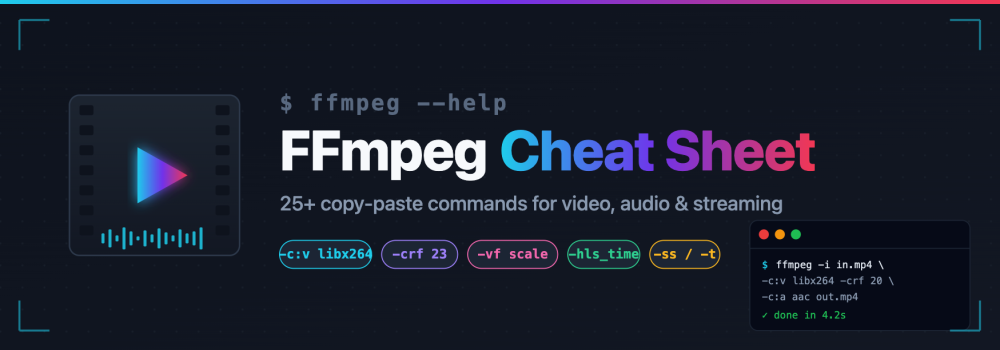

FFmpeg is the Swiss army knife of multimedia processing — a single CLI tool that can convert, cut, resize, filter, mux, stream, and analyze practically any video or audio format on the planet. The power comes at a price though: the manual runs to thousands of pages, and the order of flags matters more than you would expect.
This cheat sheet gathers the commands we reach for most often. Keep it open in a tab next to your terminal — every recipe is copy-paste ready.
1. Inspect a file with FFmpeg
Before you transform something, know what you are dealing with.
ffprobe -v error -show_format -show_streams input.mp4
ffprobe -v quiet -print_format json -show_streams input.mp4
ffmpeg -i input.mp4 -hide_banner
2. Convert between formats with FFmpeg
The workhorse. FFmpeg picks sensible defaults from the output extension.
# MP4 to WebM (VP9 + Opus)
ffmpeg -i input.mp4 -c:v libvpx-vp9 -c:a libopus output.webm

# MOV to MP4 with H.264 + AAC
ffmpeg -i input.mov -c:v libx264 -c:a aac -movflags +faststart output.mp4

# MKV to MP4 without re-encoding (stream copy)
ffmpeg -i input.mkv -c copy output.mp4
The -movflags +faststart trick moves the MP4 moov atom to the front of the file so videos start playing before they finish downloading — essential for web delivery.
3. Trim and cut with FFmpeg
Place -ss before -i for a fast keyframe seek, after -i for a frame-accurate seek.
# Cut 30 seconds starting at 00:01:15 (no re-encode)
ffmpeg -ss 00:01:15 -i input.mp4 -t 30 -c copy clip.mp4

# Frame-accurate cut with re-encode
ffmpeg -i input.mp4 -ss 00:01:15 -to 00:01:45 -c:v libx264 -c:a aac clip.mp4
4. Resize and scale with FFmpeg
# Scale to 720p, keep aspect ratio
ffmpeg -i input.mp4 -vf "scale=-2:720" output.mp4

# Fit inside 1280x720 with black bars (letterbox)
ffmpeg -i input.mp4 -vf "scale=1280:720:force_original_aspect_ratio=decrease,pad=1280:720:(ow-iw)/2:(oh-ih)/2" output.mp4
Using -2 instead of -1 guarantees an even dimension, which most H.264 encoders require.
5. Extract or replace audio with FFmpeg
# Extract audio to MP3
ffmpeg -i input.mp4 -vn -c:a libmp3lame -q:a 2 output.mp3

# Strip audio entirely
ffmpeg -i input.mp4 -an -c:v copy silent.mp4

# Replace the audio track
ffmpeg -i video.mp4 -i new_audio.aac -c:v copy -map 0:v:0 -map 1:a:0 -shortest output.mp4
6. Compress smarter, not smaller with FFmpeg
CRF (Constant Rate Factor) gives consistent visual quality regardless of scene complexity. Lower values mean better quality: 18 is visually lossless, 23 is the default, 28 is clearly compressed.
# High-quality H.264
ffmpeg -i input.mp4 -c:v libx264 -preset slow -crf 20 -c:a aac -b:a 128k out.mp4

# Efficient H.265 (smaller files, slower encode)
ffmpeg -i input.mp4 -c:v libx265 -preset medium -crf 26 -c:a aac out.mp4

# Target a specific bitrate with two-pass
ffmpeg -y -i input.mp4 -c:v libx264 -b:v 2M -pass 1 -an -f null /dev/null && \
ffmpeg -i input.mp4 -c:v libx264 -b:v 2M -pass 2 -c:a aac out.mp4
7. Crop, rotate, flip with FFmpeg
# Crop: width:height:x:y
ffmpeg -i input.mp4 -vf "crop=1280:720:0:140" out.mp4

# Rotate 90 degrees clockwise
ffmpeg -i input.mp4 -vf "transpose=1" out.mp4

# Horizontal flip
ffmpeg -i input.mp4 -vf "hflip" out.mp4
8. Change frame rate and speed with FFmpeg
# Force a frame rate
ffmpeg -i input.mp4 -r 30 output.mp4

# 2x speed (video and audio)
ffmpeg -i input.mp4 -filter_complex "[0:v]setpts=0.5*PTS[v];[0:a]atempo=2.0[a]" -map "[v]" -map "[a]" fast.mp4

# Slow motion (0.5x)
ffmpeg -i input.mp4 -filter_complex "[0:v]setpts=2.0*PTS[v];[0:a]atempo=0.5[a]" -map "[v]" -map "[a]" slow.mp4
9. Thumbnails and GIFs with FFmpeg
# Single frame at 5 seconds
ffmpeg -ss 00:00:05 -i input.mp4 -frames:v 1 -q:v 2 thumb.jpg

# One frame per second
ffmpeg -i input.mp4 -vf fps=1 frame_%04d.png

# High-quality GIF via two-pass palette
ffmpeg -i input.mp4 -vf "fps=15,scale=480:-1:flags=lanczos,palettegen" palette.png
ffmpeg -i input.mp4 -i palette.png -lavfi "fps=15,scale=480:-1:flags=lanczos [v]; [v][1:v] paletteuse" out.gif
10. Concatenate videos with FFmpeg
When the files share codec, container and parameters, demuxer concat is fastest because it avoids re-encoding.
# Create list.txt with lines:
#   file 'clip1.mp4'
#   file 'clip2.mp4'
ffmpeg -f concat -safe 0 -i list.txt -c copy merged.mp4

# When codecs differ, use the concat filter
ffmpeg -i a.mp4 -i b.mp4 -filter_complex \
  "[0:v][0:a][1:v][1:a]concat=n=2:v=1:a=1[v][a]" \
  -map "[v]" -map "[a]" merged.mp4
11. Burn or embed subtitles with FFmpeg
# Hard-burn subtitles into pixels
ffmpeg -i input.mp4 -vf "subtitles=subs.srt" output.mp4

# Soft-embed as a selectable track
ffmpeg -i input.mp4 -i subs.srt -c copy -c:s mov_text output.mp4
12. Overlay a watermark with FFmpeg
# Top-right corner with 10px padding
ffmpeg -i input.mp4 -i logo.png -filter_complex \
  "overlay=W-w-10:10" -c:a copy branded.mp4
13. Stream to HLS with FFmpeg
Produce segments for HTTP Live Streaming:
ffmpeg -i input.mp4 \
  -c:v libx264 -c:a aac \
  -hls_time 6 -hls_playlist_type vod \
  -hls_segment_filename "seg_%03d.ts" \
  stream.m3u8
14. Record and live input with FFmpeg
# List capture devices on macOS
ffmpeg -f avfoundation -list_devices true -i ""

# Record screen on macOS (device 1, no audio)
ffmpeg -f avfoundation -framerate 30 -i "1:0" screen.mp4

# Record desktop on Linux (X11)
ffmpeg -f x11grab -framerate 30 -video_size 1920x1080 -i :0.0 screen.mp4

# Push to an RTMP endpoint
ffmpeg -re -i input.mp4 -c:v libx264 -c:a aac -f flv rtmp://live.example.com/app/streamkey
15. Miscellaneous power moves with FFmpeg
# Normalize audio loudness (EBU R128)
ffmpeg -i in.mp3 -af loudnorm=I=-16:TP=-1.5:LRA=11 out.mp3

# Remove silence from end
ffmpeg -i in.mp3 -af silenceremove=stop_periods=-1:stop_duration=1:stop_threshold=-50dB trim.mp3

# Quick test: encode only the first minute
ffmpeg -ss 0 -t 60 -i input.mp4 -c:v libx264 -crf 22 sample.mp4
Habits that pay off with FFmpeg
Add -hide_banner to clean up logs in scripts. Use -y to overwrite existing files and -n to never overwrite. When something fails, rerun with -v verbose before you start guessing — FFmpeg error messages are terse but accurate.
For production pipelines, consider offloading encoding to a service with hardware acceleration and a CDN in front. But for the scrappy command-line work that happens every day, this cheat sheet should cover ninety percent of what you will do in a given week.
Happy encoding.